

EnterpriseConnect CI
Buildkite
Connect Gitar with your Buildkite account to monitor builds, analyze failures, and automatically create fixes when CI builds fail
Prerequisites
Before setting up the Buildkite integration, ensure you have:
- Access to your Buildkite account
- A Buildkite API Access Token with required scopes
- Admin permissions in your organization (recommended for service accounts)
Required Token Scopes
!
Required Scopes
Your Buildkite API token must include all of the following scopes:
- →
read_teams- Access team information - →
read_artifacts- Download build artifacts - →
read_builds- View build information and status - →
read_job_env- Access job environment variables - →
read_build_logs- Read build logs for analysis - →
read_organizations- View organization details - →
read_pipelines- Access pipeline configurations - →
read_user- Verify user account information - →
read_suites- Access test suite information
Setting Up Buildkite Integration
Step 1: Create Buildkite API Access Token
Recommended: Use a Service Account
For production environments, we strongly recommend creating a dedicated service account:
- Benefits: Prevents issues when team members leave, easier token management, better audit trails
- Example: Create a user like
buildkite-integration@yourcompany.com
To create an API Access Token:
- Log into your Buildkite account
- Go to API Access Tokens
- Click "New API Access Token"
- Name it "Gitar Integration"
- Select all the required scopes listed above
- Copy the token immediately (you won't be able to see it again)
Step 2: Access Gitar Integrations Page
- Navigate to your Gitar organization settings
- Go to the Integrations section
- Look for the Buildkite integration
- Click "Connect" to begin the setup process
Step 3: Configure Buildkite Connection
When you click the Buildkite "Connect" button, you'll be prompted to enter:
Buildkite API Token
- Enter your Buildkite API Access Token
- The token will be securely stored and encrypted
- Gitar will verify the token by making a test API call to Buildkite
Step 4: Complete Connection
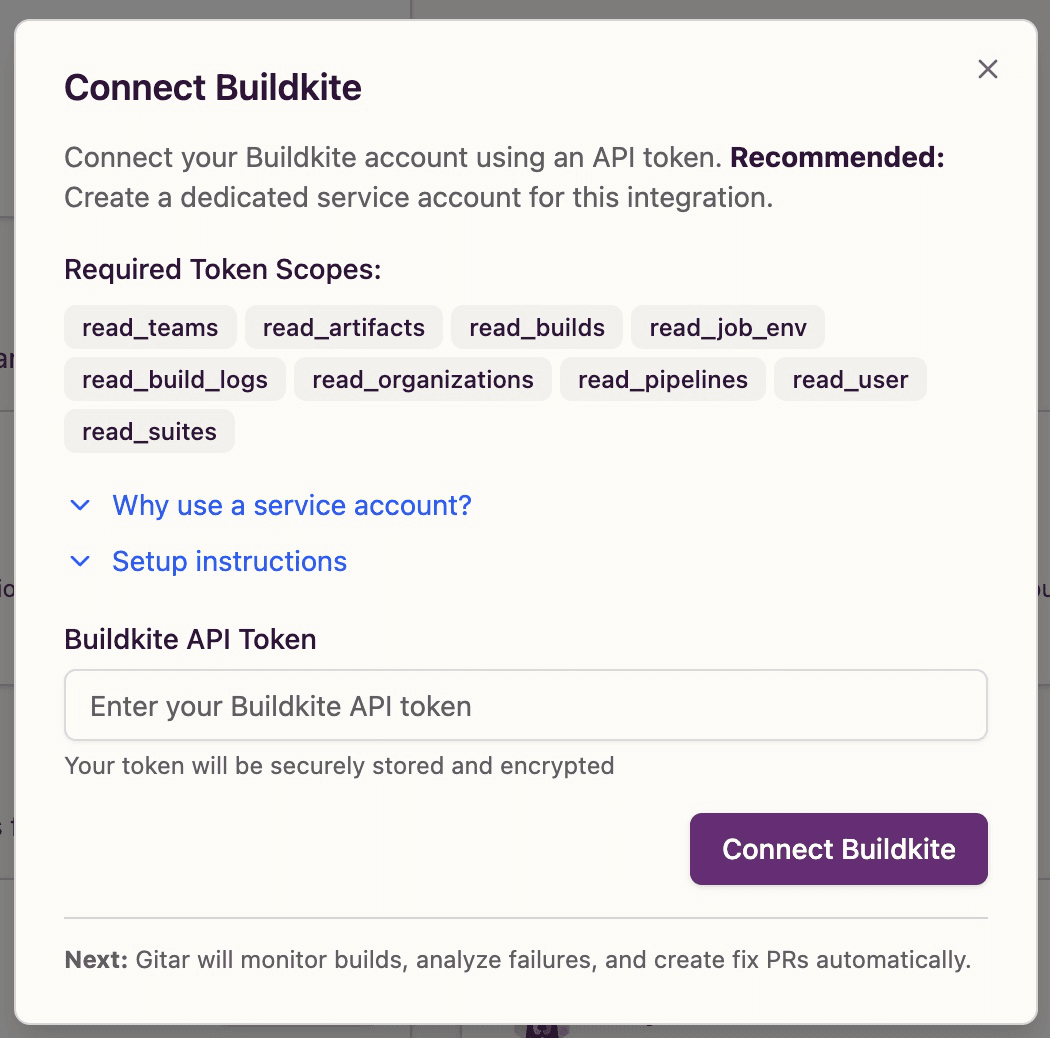
- Fill in the required API token field
- Click "Connect Buildkite" to establish the connection
- If successful, the integration status will show as connected
- If the connection fails, verify your token is valid and has all required scopes
Troubleshooting
Security Notes
- API tokens are encrypted and securely stored using AWS Secrets Manager
- Tokens can be revoked at any time from your Buildkite account settings
- We recommend rotating tokens regularly for enhanced security
- Use service accounts for production environments to avoid disruption
- Only grant the minimum required scopes for your use case