

Overview
The Gitar Slack App posts pull request activity to your workspace, so your team follows code reviews and CI failures without leaving Slack. Gitar can post to a channel, send a direct message, and read Slack context back into a review.Channel Notifications
Send to public or private channels
Direct Messages
Notify individual users
Context Retrieval
Pull Slack context into reviews
Connect Slack
1
Access Gitar Integrations
- Go to your organization’s Settings in the Gitar dashboard
- Open the Integrations section
- Find the Slack card under Communication and click Connect
2
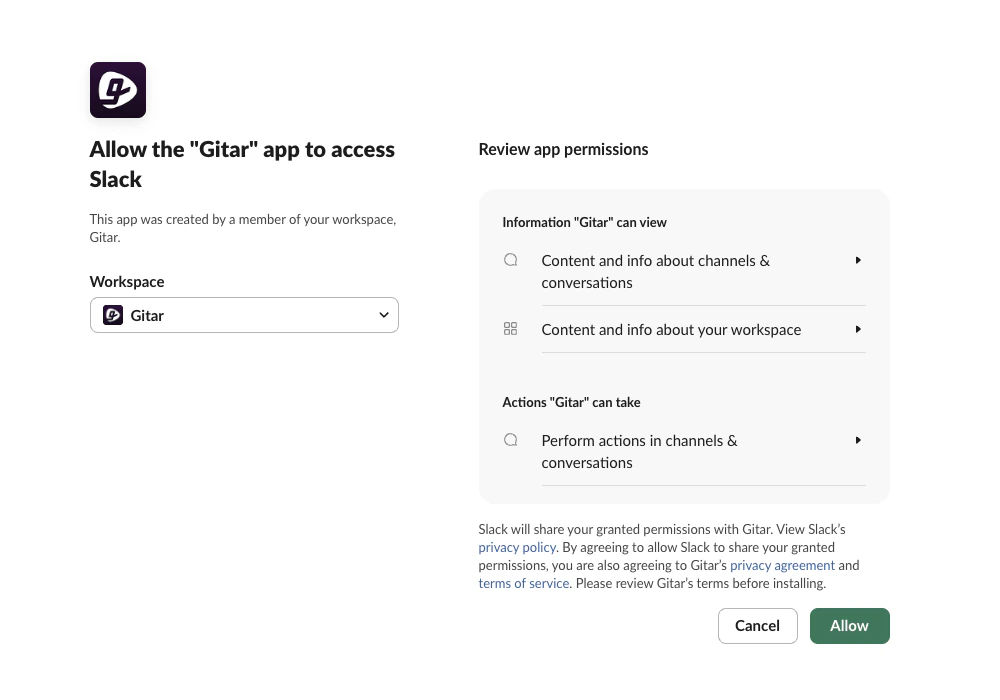
Authorize the Slack App
Slack’s authorization page opens.
- Select the workspace where you want to install the Gitar Slack App
-
Click Allow to authorize the installation. The Slack card’s button changes to Configure once the install completes
3
Send Slack Notifications from PRs
Comment on a pull request with what you want sent and to whom, and Gitar sends it.Channel reaction example:Direct message example: